ADOPE / Works

Clip

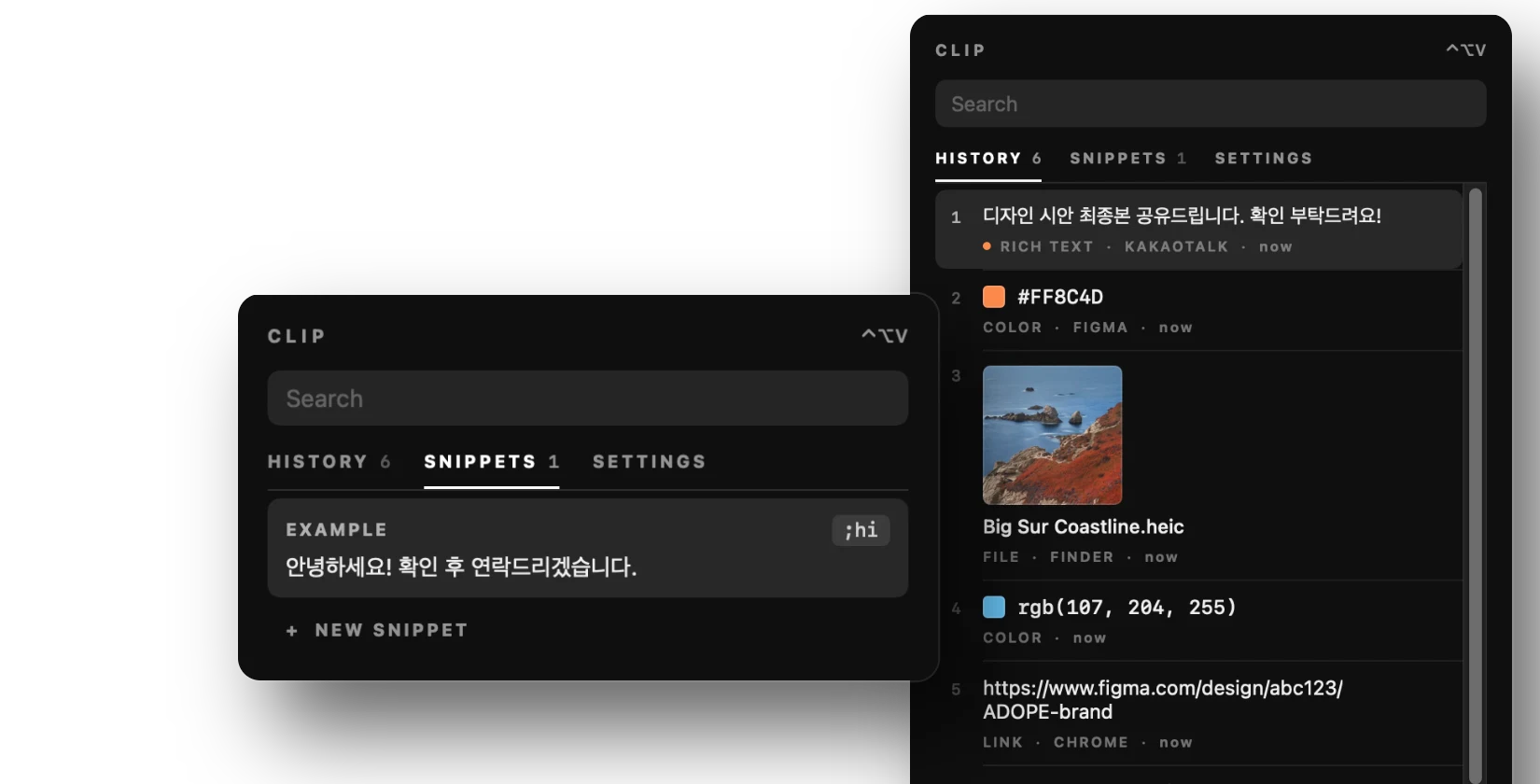
텍스트 · 이미지 · 파일 클립보드 기록과 스니펫, 텍스트 대치를 한 패널에서 관리하는 맥 앱입니다. 패널은 어디서든 단축키(⌃⌥V)로 열 수 있습니다. 기획부터 디자인, Swift 개발까지 진행했습니다.A Mac app that keeps clipboard history (text, images, files), snippets and text expansion in one panel, opened from anywhere with a shortcut (⌃⌥V). I handled planning, design and Swift development.

macOS · 2026
NotesFileEditFormat Wed 7 Oct01:12
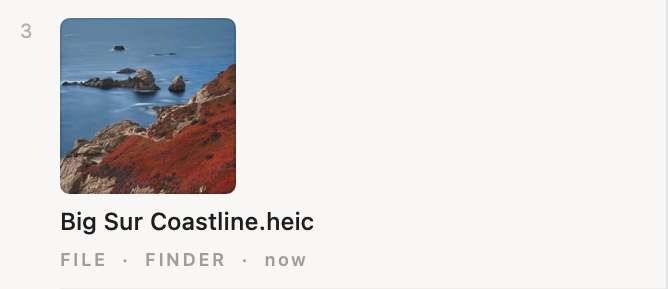
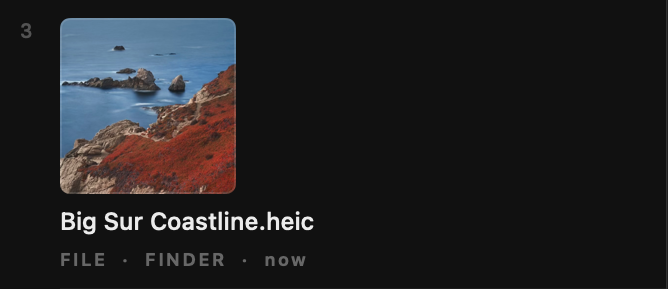
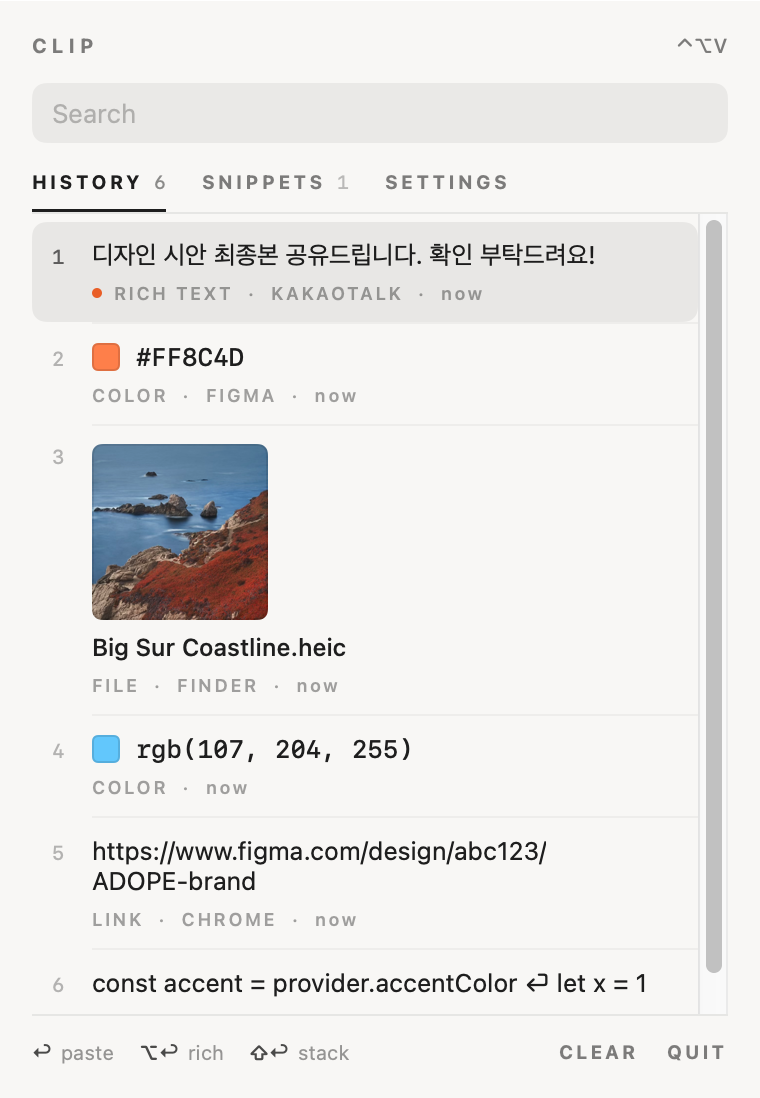
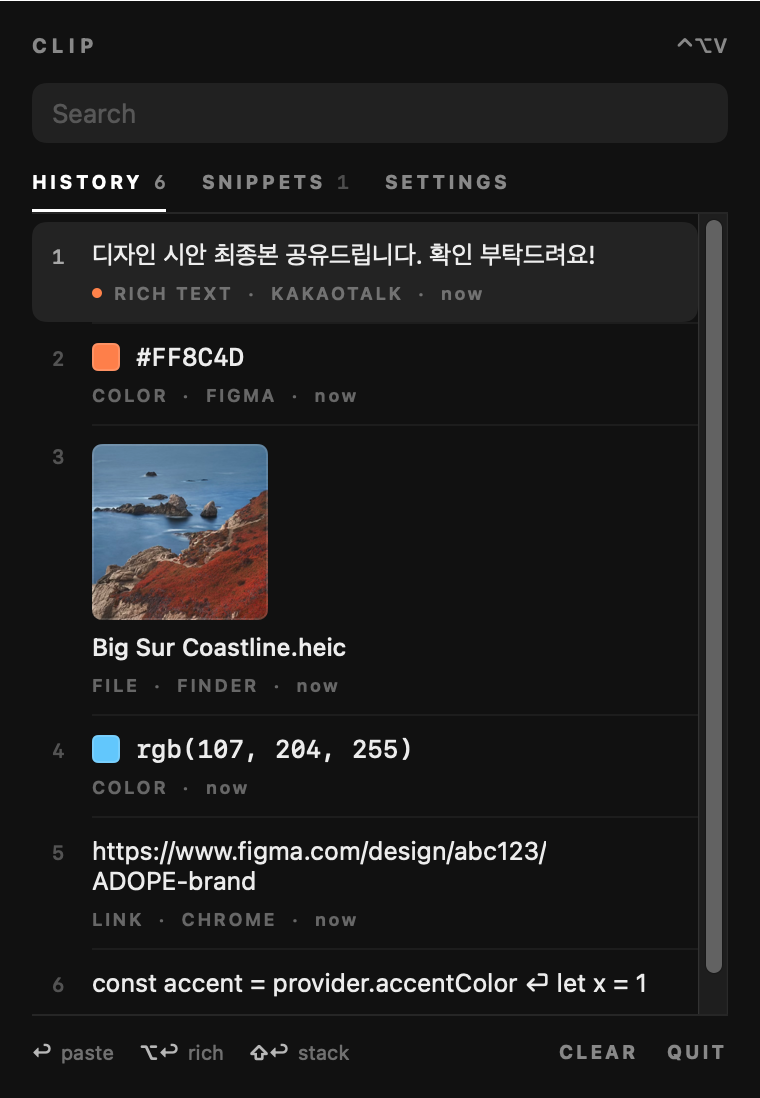
Clip panel, light: clipboard history with text, colour, image file, link and code items Clip panel, dark: clipboard history with text, colour, image file, link and code items
01 — History

복사한 내용 모아보기Everything you copied

복사한 순서대로 번호가 붙고, ⌘1–9로 바로 붙여넣을 수 있습니다. 종류마다 보여주는 방식을 다르게 했습니다.Items are numbered in the order you copied them, and ⌘1–9 pastes one directly. Each type is shown in its own way.

서식 있는 텍스트Rich textRICH TEXT

Return은 서식 없이, ⌥Return은 서식을 유지해서 붙여넣습니다. 어느 앱에서 복사했는지도 함께 표시됩니다.Return pastes plain text, ⌥Return keeps formatting. The source app is shown too.

색상 값ColoursCOLOR

HEX · RGB · HSL 값을 인식해 색 견본과 함께 보여주고, 다른 형식으로 바꿔 복사할 수 있습니다.HEX, RGB and HSL values get a swatch and can be copied in another format.

이미지 · 파일Images and filesFILE

미리보기와 함께 저장됩니다. 이미지 속 글자는 OCR로 텍스트만 꺼내 복사할 수 있습니다.Saved with a preview. Text inside an image can be pulled out with OCR.

링크LinksLINK

추적용 파라미터를 지운 깨끗한 주소로 붙여넣습니다. 아래에서 자세히 볼 수 있습니다.Pasted as a clean address with tracking parameters removed — more below.

여러 줄 텍스트Multi-line textTEXT

목록에서는 한 줄로 줄이고 줄바꿈 위치를 ⏎로 표시해, 길이와 상관없이 한눈에 구분됩니다.Shown on one line with ⏎ marking line breaks, so long items stay easy to scan.

02 — Clean links

링크 추적 제거Tracking removed

utm_, fbclid, gclid 같은 추적 파라미터를 지우고 필요한 주소만 남깁니다. 설정에서 끌 수 있습니다.Tracking parameters such as utm_, fbclid and gclid are stripped, leaving only the address. It can be turned off in settings.

https://www.example.com/journal/spring-collection?utm_source=newsletter&utm_medium=email&utm_campaign=spring&fbclid=IwAR2x9Kd
복사한 주소As copied
03 — Snippets

스니펫 · 텍스트 대치Snippets and expansion

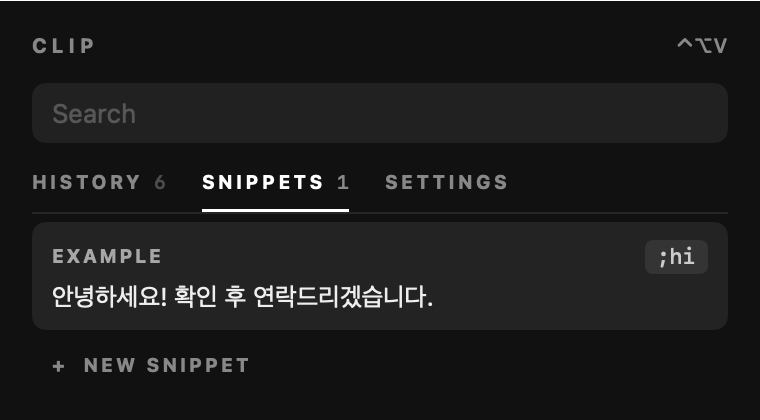
자주 쓰는 문장을 스니펫으로 저장하고 짧은 약어를 붙여둡니다. 어디서든 약어를 입력하면 저장한 문장으로 바뀝니다.Save sentences you use often as snippets with a short abbreviation. Type the abbreviation anywhere and it's replaced with the full text.

Mail · 새 메시지New message;hi
Snippets tab: an example snippet with the abbreviation ;hi
04 — Paste stack

연속 복사 · 연속 붙여넣기Copy several, paste in order

단축키(⌃⌥X)로 스택을 켜고 필요한 것들을 차례로 복사한 뒤, ⌘V를 누를 때마다 복사한 순서대로 하나씩 붙여넣습니다. 다 붙여넣으면 스택은 자동으로 꺼지고, 기록에 있던 항목도 ⇧클릭으로 스택에 넣을 수 있습니다. 이름 · 메일 · 연락처처럼 여러 칸을 채울 때 씁니다.Turn the stack on with a shortcut (⌃⌥X), copy what you need one after another, and each ⌘V pastes the next one in the order you copied. The stack switches off once it\'s empty, and ⇧-click adds items from history. Useful for filling several fields like name, email and phone.

1 · 복사1 · Copy⌘C
NAME하리다RIDA HA
PHONE010-9619-3372
2 · 스택에 쌓임2 · Stacked⌃⌥X
STACK 0Copy things — ⌘V pastes them in order
3 · 붙여넣기3 · Paste⌘V
NAME
EMAIL
PHONE
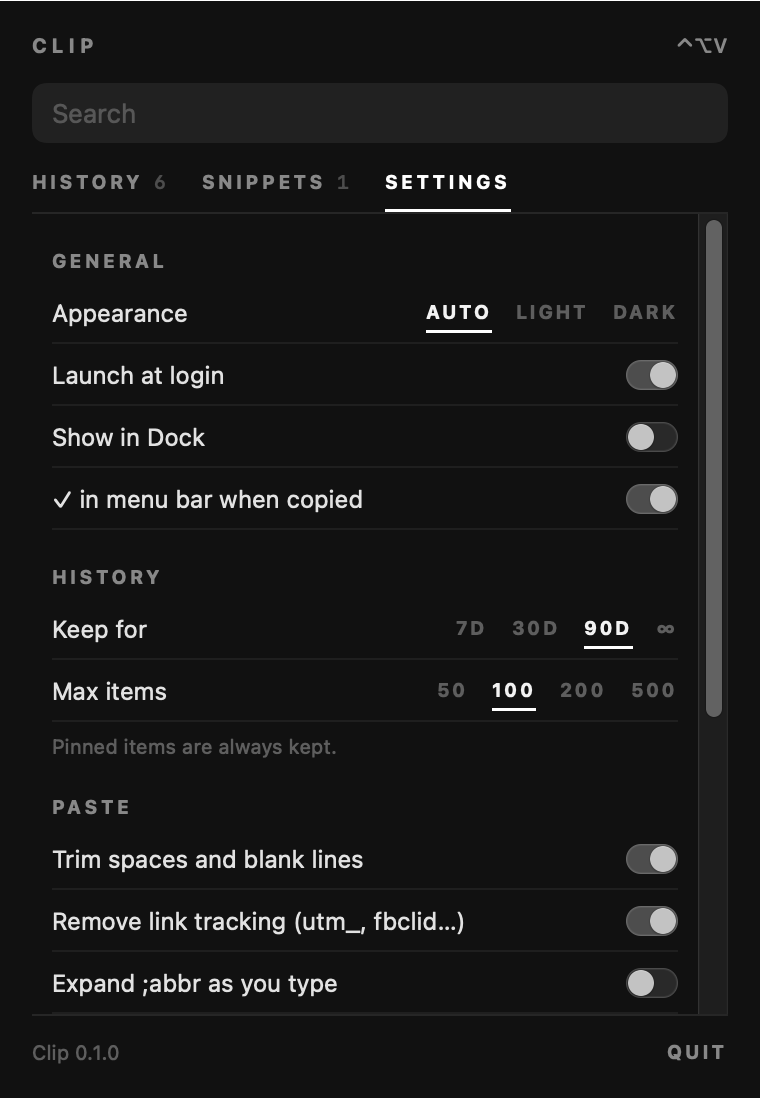
Settings tab: appearance, launch at login, history retention, paste options
05 — Settings

패널 안의 설정Settings in the panel

보관 기간 · 개수How long, how many7일부터 무제한까지, 최대 50~500개. 고정한 항목은 항상 남겨둡니다.From 7 days to forever, 50 to 500 items. Pinned items are always kept.
붙여넣기 정리Paste clean-up앞뒤 공백과 빈 줄을 정리하고, 링크 추적을 지웁니다.Trims spaces and blank lines, and strips link tracking.
로컬에만 저장Stored locally기록은 이 맥 안에만 저장되고 외부로 보내지 않습니다.History stays on this Mac and is never sent anywhere.
06 — Plate · Colour

종이와 먹색Paper and charcoal

따뜻한 종이색과 짙은 먹색 두 가지로 화면을 만들고, 포인트 색은 선택한 항목 표시에만 썼습니다.Two base tones, warm paper and deep charcoal, with the accent used only to mark the selected item.

Paper#F8F7F5
Selected#E8E7E5
Accent · light#E95E27
Accent · dark#FE824A
Selected#232323
Charcoal#111111
07 — Plate · Type

세 가지 글자Three kinds of type

디자인 시안
내용 — 시스템 서체, 가장 크게Content — system font, largest
RICH TEXT · NOW
정보 — 작은 대문자, 넓은 자간Meta — small caps, wide tracking
#FF8C4D
값 — 고정폭 서체 (색상 · 코드)Values — monospace (colours, code)
08 — Plate · App icon · 1024 px

앱 아이콘App icon

App icon: a clipboard with orange, purple and blue lines
클립보드A clipboard앱 이름 그대로 클립보드 모양을 썼습니다.A literal clipboard, matching the name.
세 줄의 기록Three lines길이가 다른 세 줄로 차곡차곡 쌓이는 기록을 표현했습니다.Three lines of different lengths for a history that stacks up.

자주 복사하는 내용을 한곳에 모아두고,
필요할 때 바로 꺼내 쓰려고 만든 앱입니다.
Built to keep what I copy often in one place,
ready whenever I need it.

기획 · 디자인 · 개발 — RIDA HAPlanning · Design · Development — RIDA HA ← Works