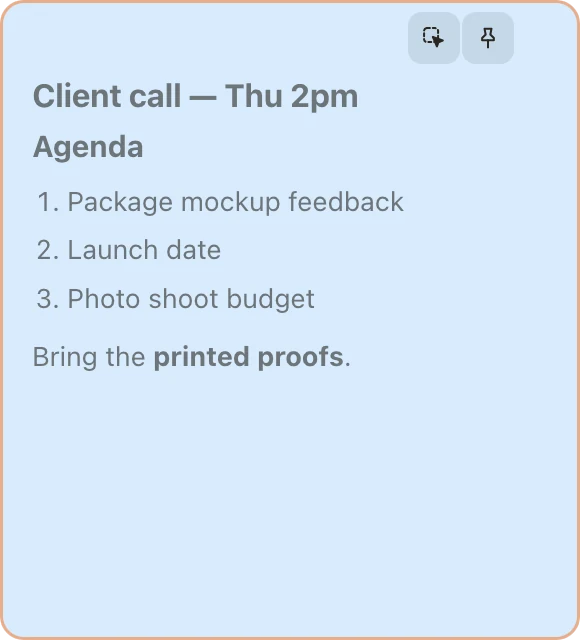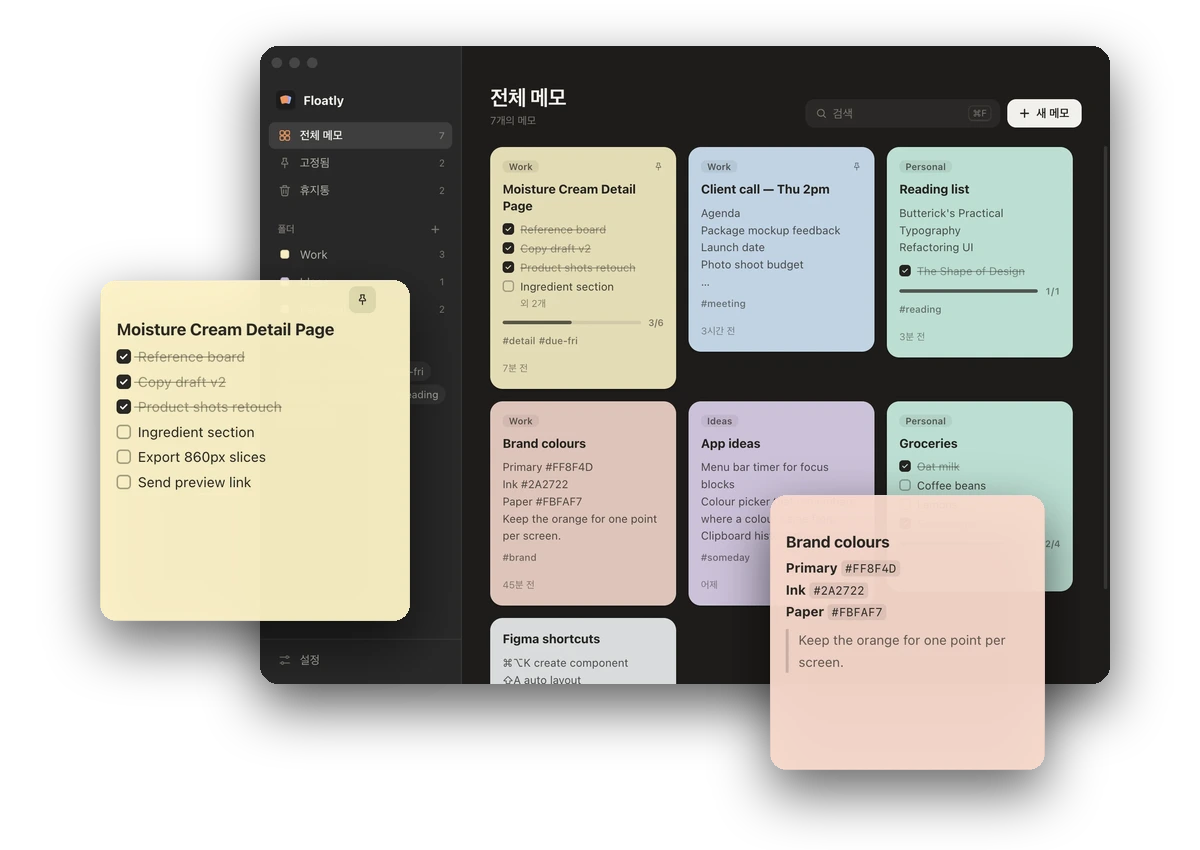
다른 창 위에 띄워두는 맥용 메모 앱입니다. 메모를 항상 위에 고정하고, 투명하게 하거나 클릭이 메모를 통과하게 해서 작업 화면을 가리지 않게 했습니다. 기획부터 디자인, Electron 개발까지 진행했습니다.A Mac sticky-notes app that floats above other windows. Notes can stay on top, turn see-through, or let clicks pass straight through, so they don't get in the way of the work underneath. I handled planning, design and development in Electron.
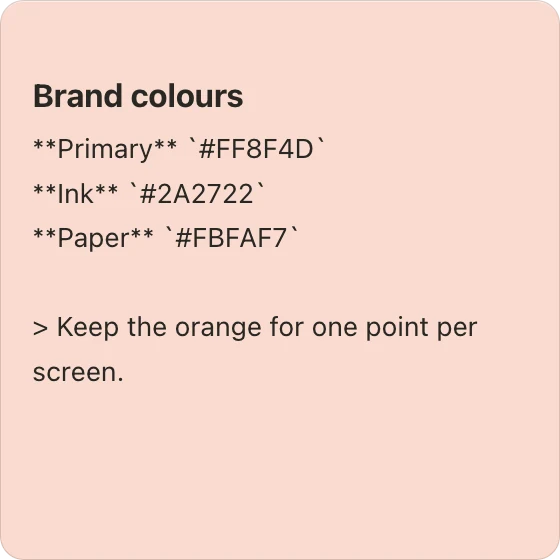
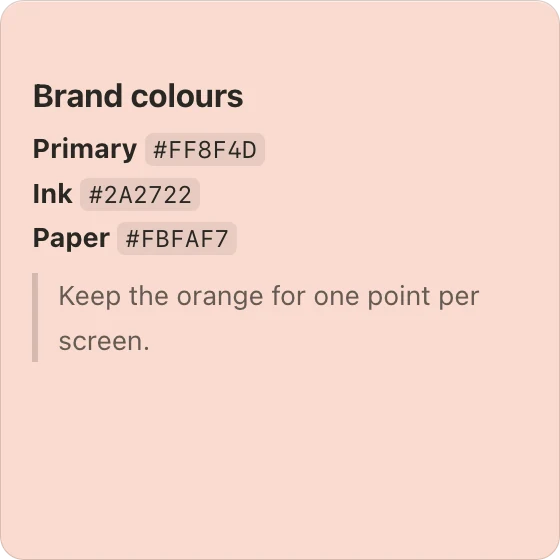
macOS · 2026Primary #FF8F4D
Ink #2A2722
Paper #FBFAF7
Keep the orange for one point per screen.
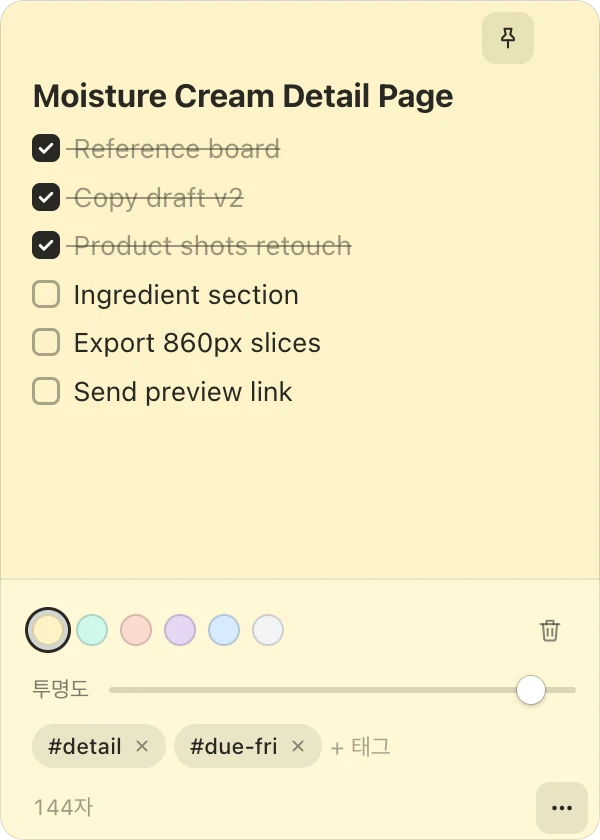
메모 하나하나가 따로 떠 있는 창이라 원하는 자리에 두고 크기를 바꿀 수 있습니다. 핀으로 고정한 메모(⌘P)는 다른 앱을 쓰는 동안에도 맨 위에 남습니다. 버튼은 마우스를 올렸을 때만 나타나고, 켜져 있는 기능만 계속 보입니다.Every note is its own window, so it can sit anywhere at any size. Pinned notes (⌘P) stay on top while you work in other apps. Buttons only appear on hover; whatever is switched on stays visible.

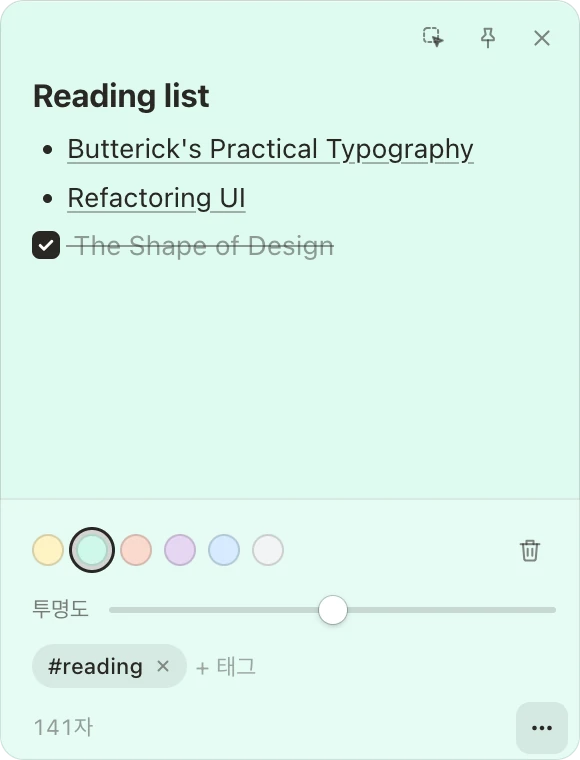
마크다운으로 적으면 정리된 모양으로 보여주고, 메모를 누르면 다시 편집 상태로 바뀝니다. 체크리스트는 보기 상태에서 바로 체크할 수 있습니다. 링크는 브라우저에서 열립니다.Write in Markdown and the note shows it formatted; click the note to edit again. Checklists can be ticked while reading. Links open in the browser.


메모 아래쪽 버튼을 누르면 꾸밈 도구가 열립니다. 평소에는 숨겨두어 메모에 내용만 보이게 했습니다.The button at the bottom of a note opens its tools. They stay hidden otherwise, so a note shows only what's written on it.
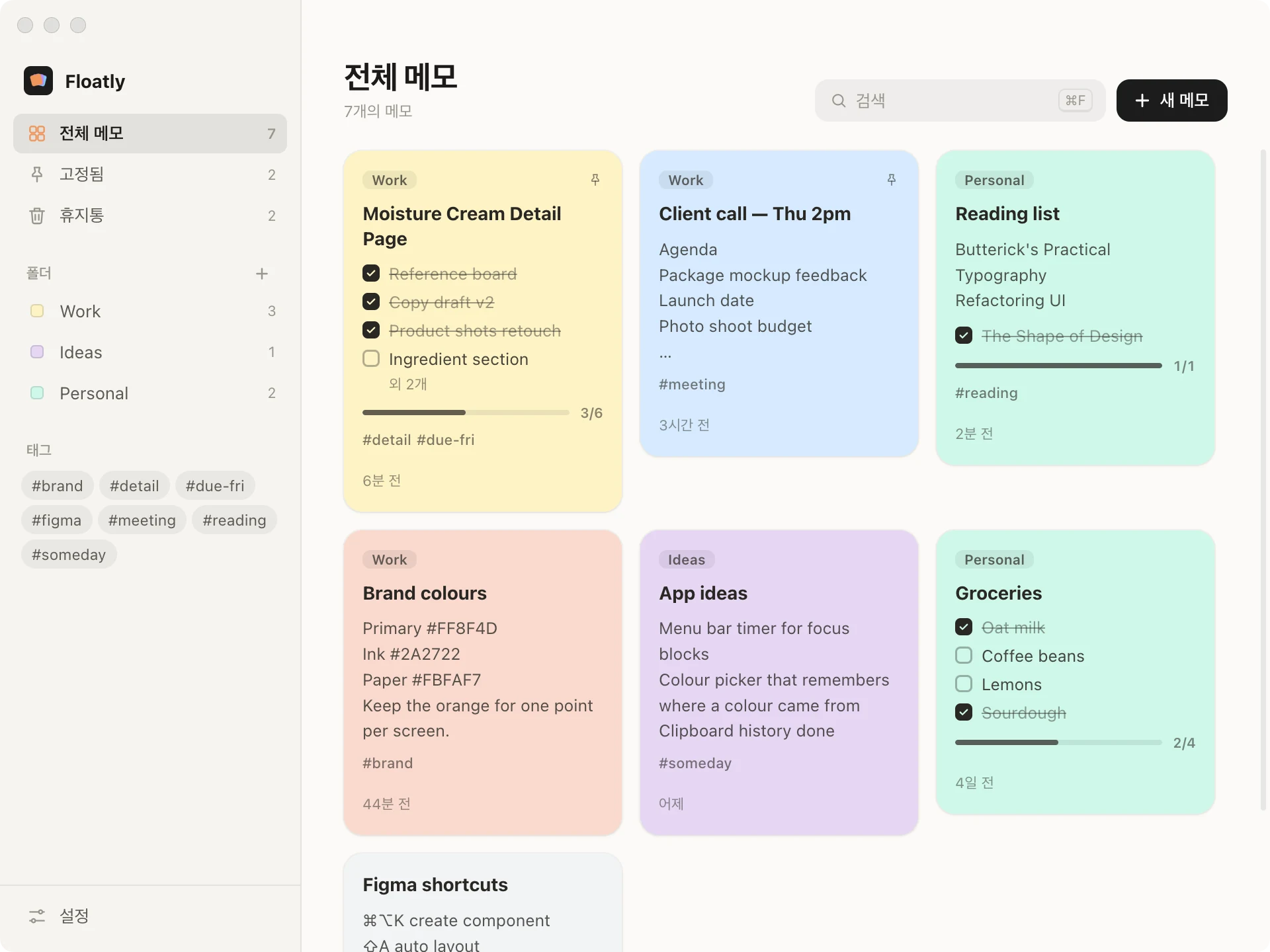
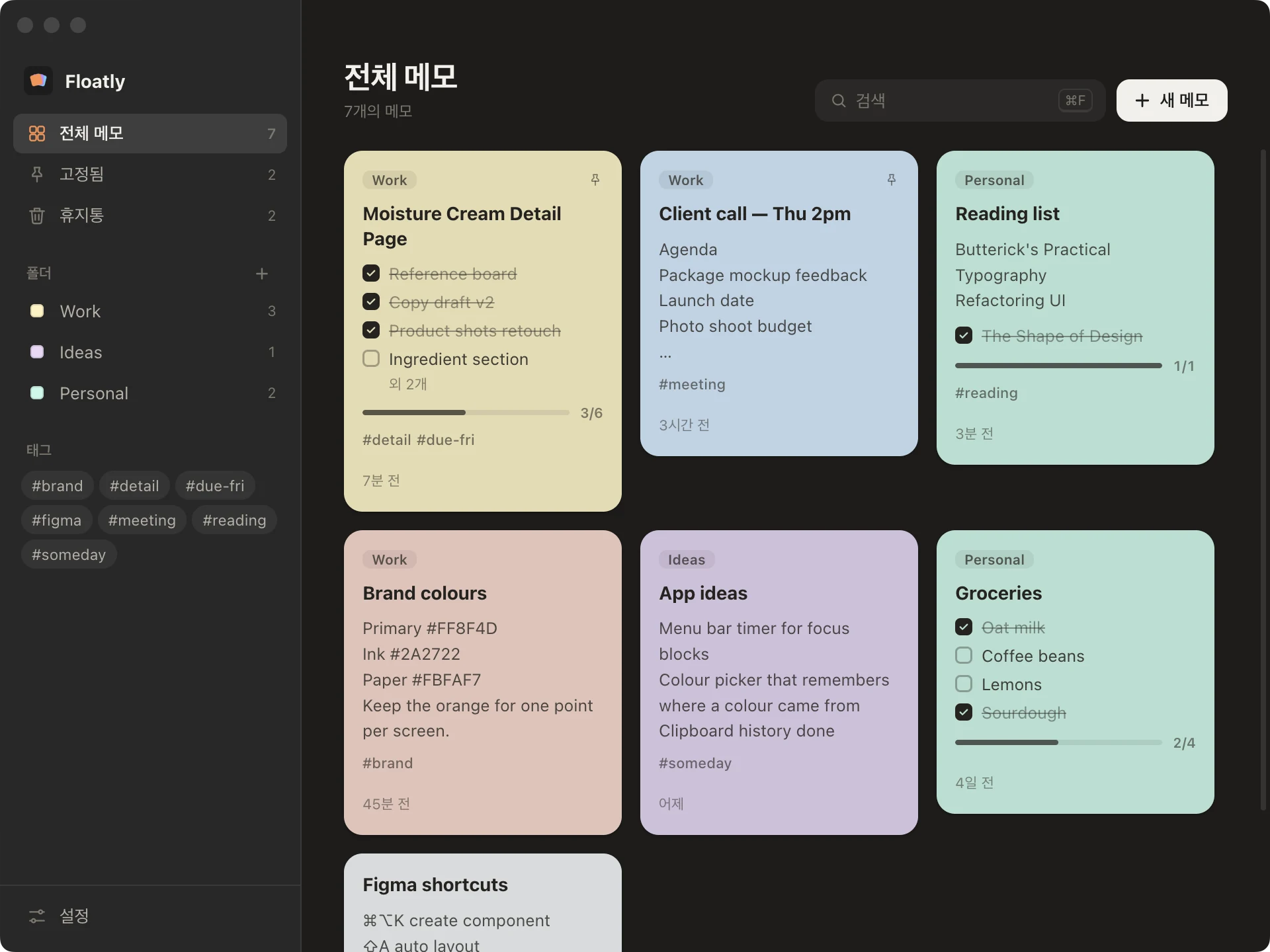
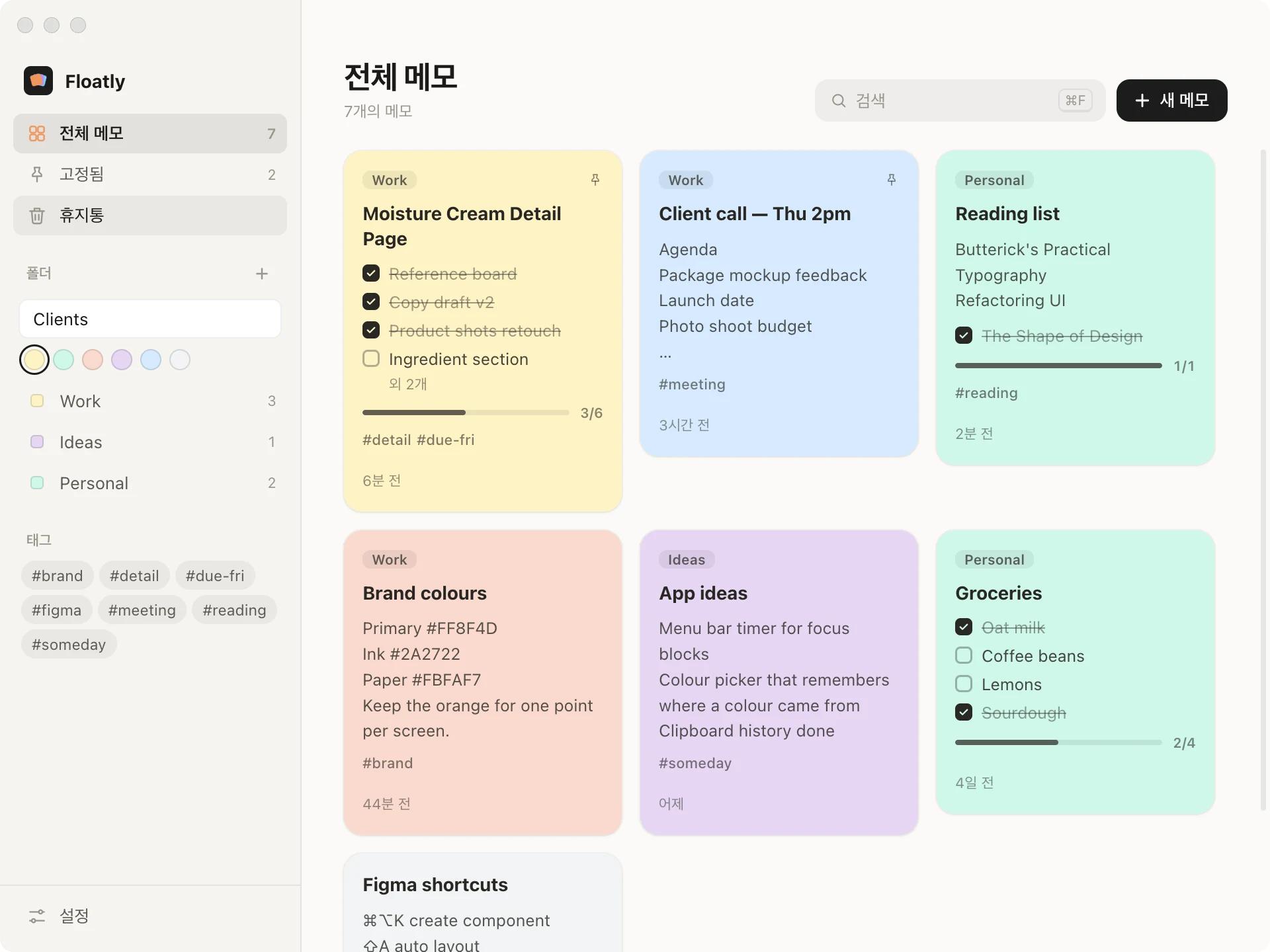
화면에 띄우지 않은 메모까지 카드로 모아 봅니다. 카드를 누르면 그 메모가 화면에 뜹니다. 카드에는 폴더, 체크리스트 진행률, 태그, 수정한 시간이 함께 보입니다(⌘0).Notes that aren't on screen are gathered here as cards; click one to float it again. Each card shows its folder, checklist progress, tags and when it was edited (⌘0).


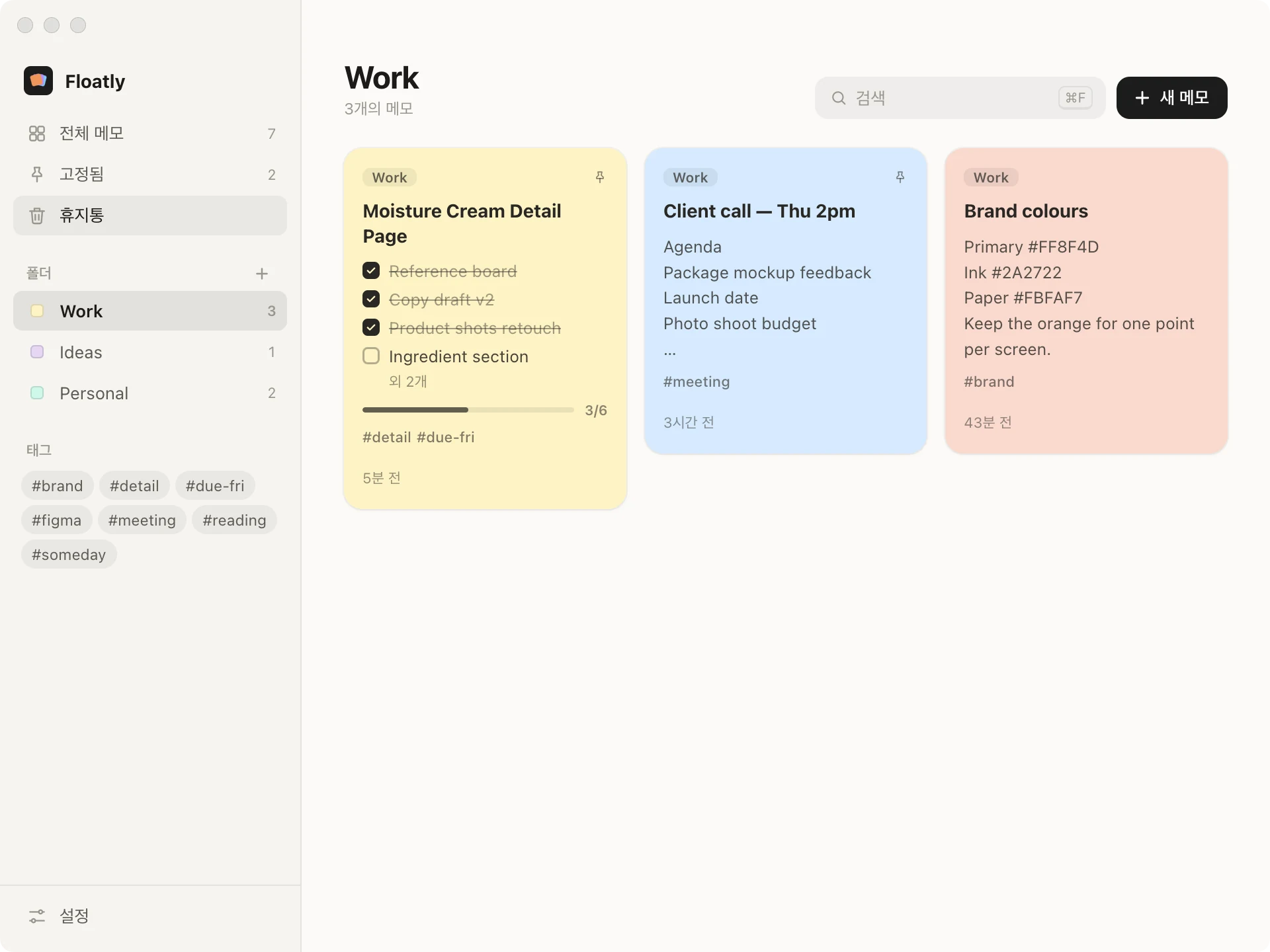
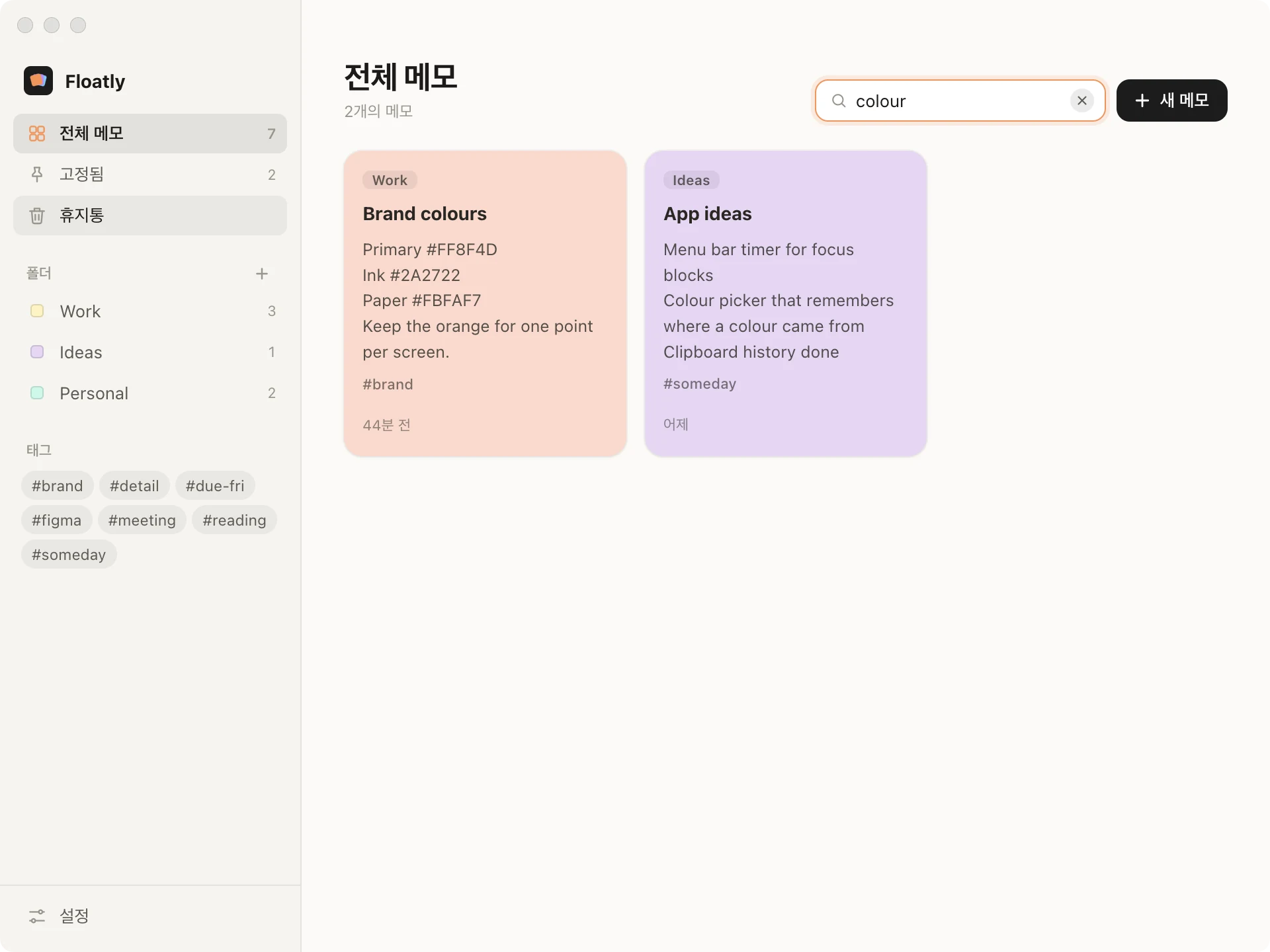
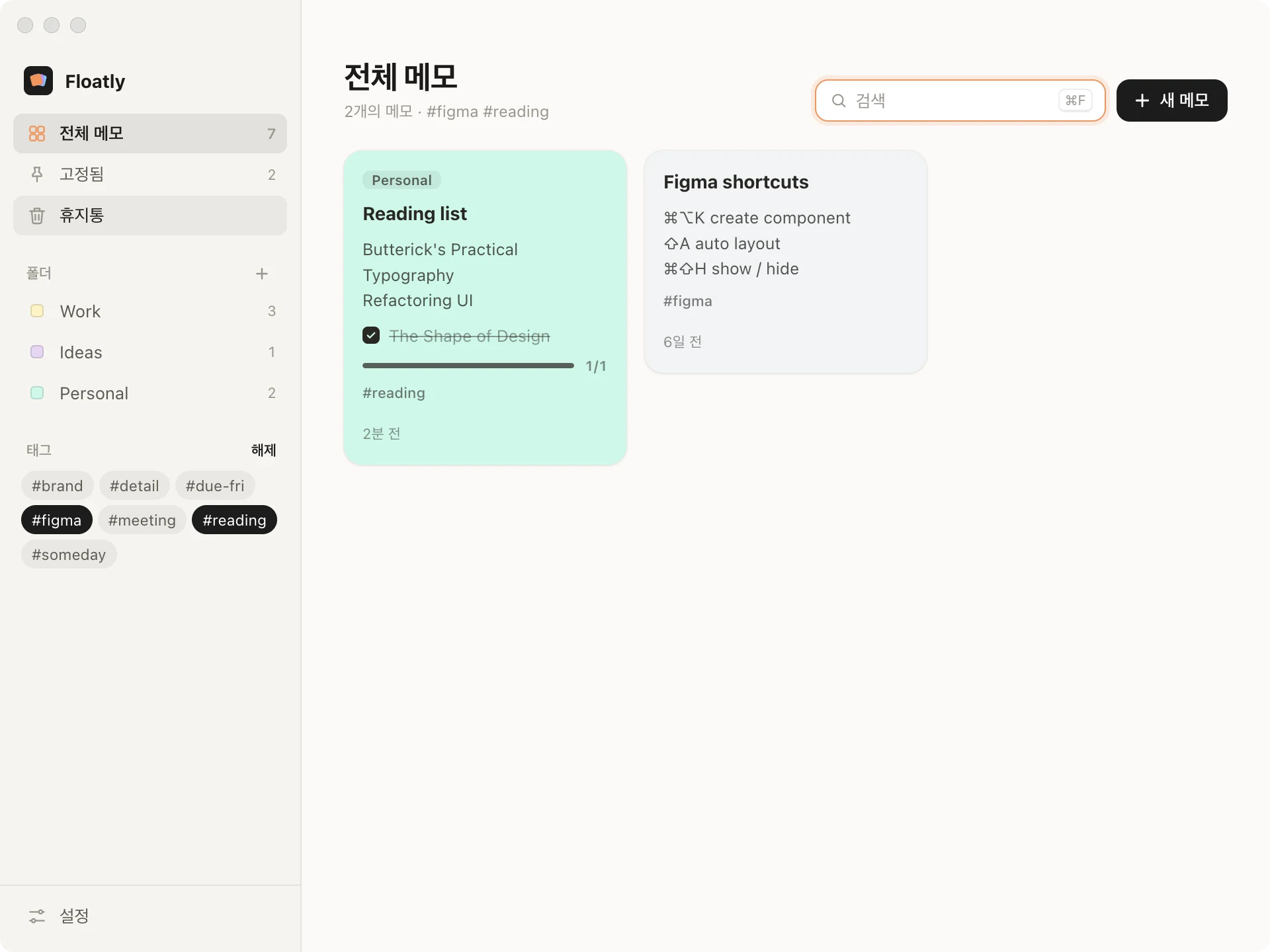
제목, 본문, 태그를 한 번에 찾습니다(⌘F). 사이드바에서 태그를 여러 개 고르면 그중 하나라도 붙은 메모를 보여줍니다.One search covers titles, text and tags (⌘F). Pick several tags in the sidebar to see notes carrying any of them.


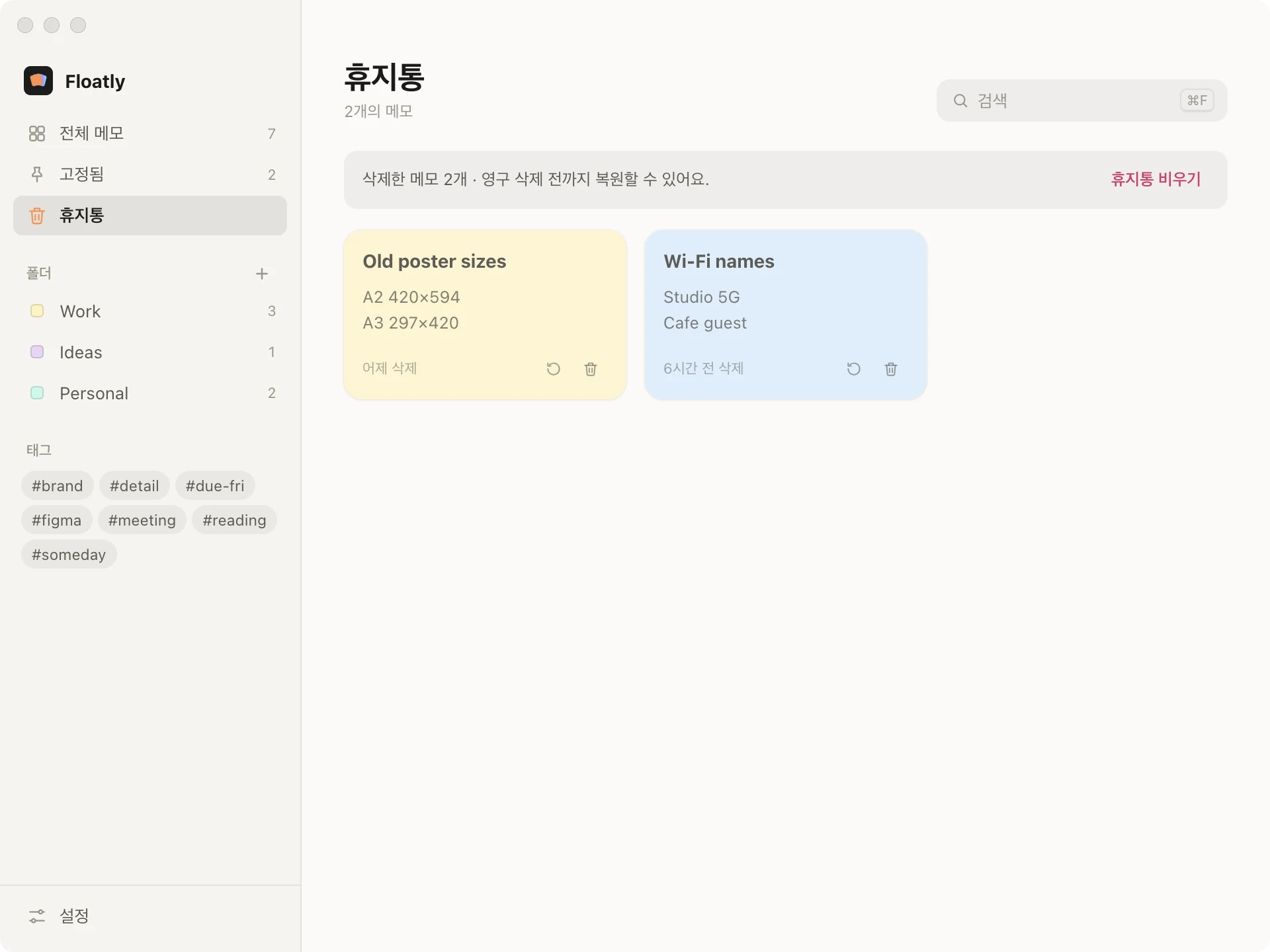
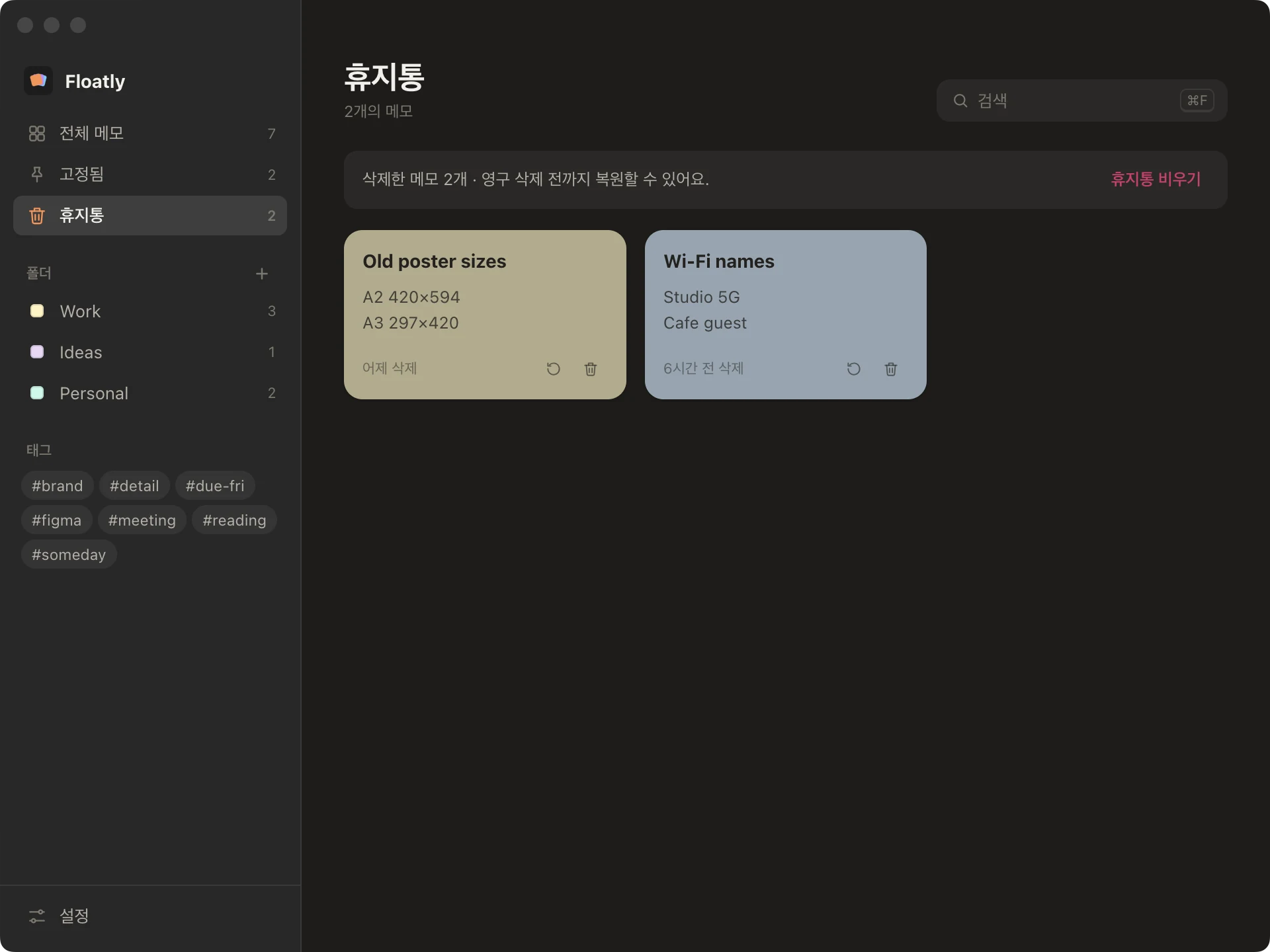
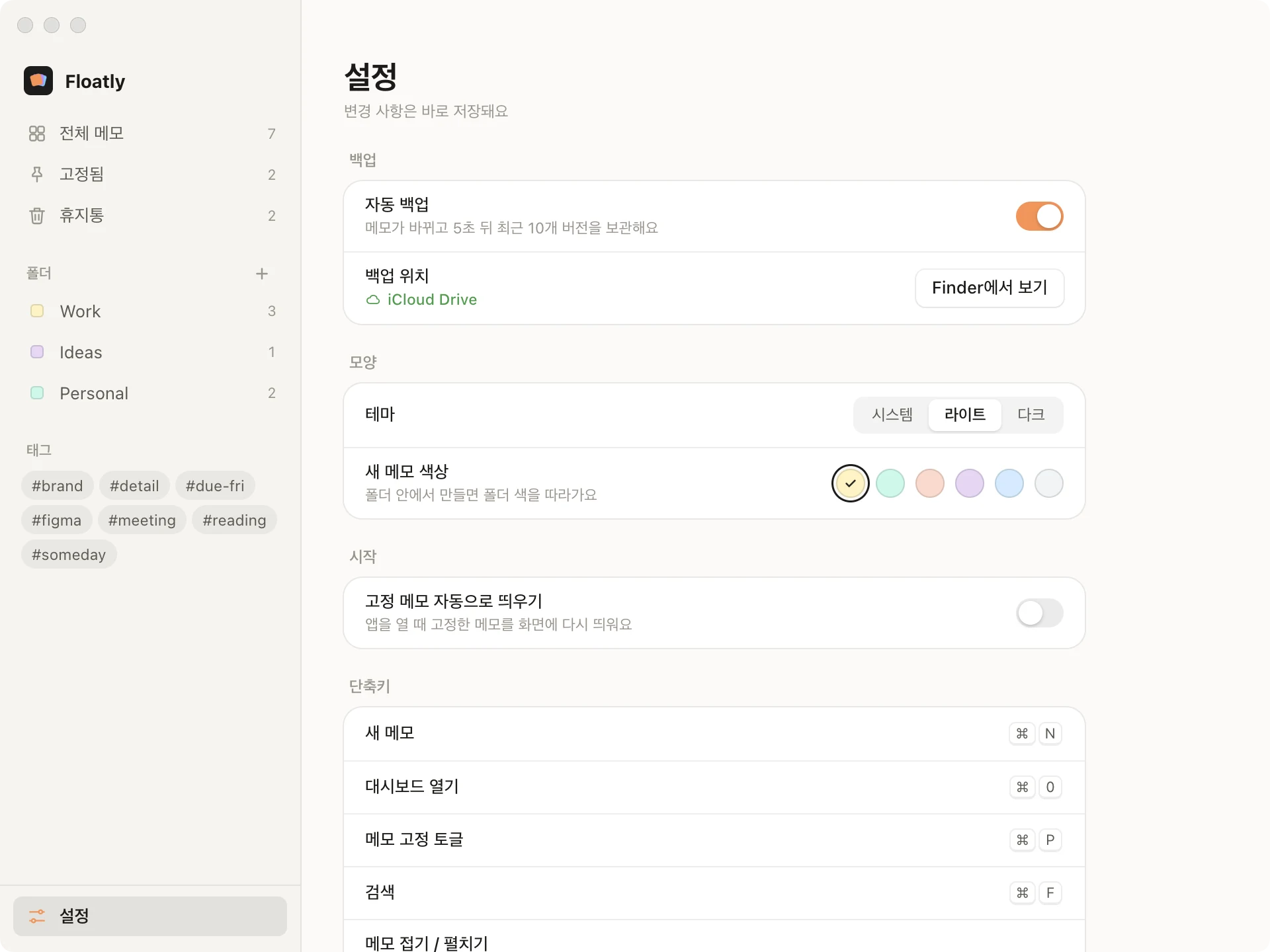
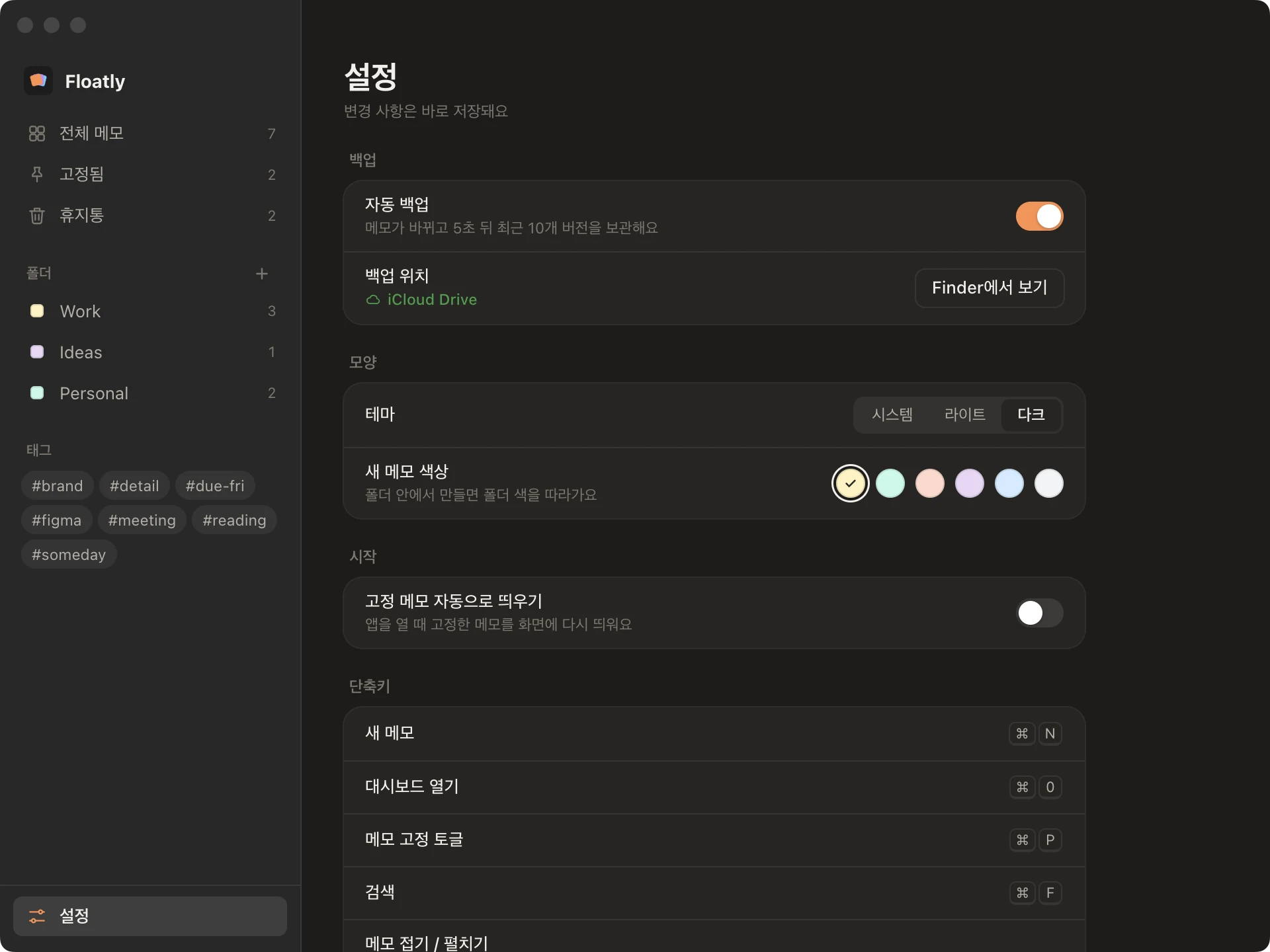
지운 메모는 휴지통에 남아 다시 꺼낼 수 있습니다. 메모가 바뀌면 5초 뒤 iCloud Drive에 백업하고 최근 10개 버전을 보관합니다. 앱을 다시 켜면 열려 있던 메모가 같은 자리, 같은 크기로 다시 뜹니다.Deleted notes wait in the trash until you restore or remove them. Five seconds after a change, the notes are backed up to iCloud Drive, keeping the last ten versions. Relaunch the app and the notes that were open come back in the same place and size.
메모는 연한 종이색 여섯 가지로 두고, 앱 화면의 포인트는 주황 하나만 썼습니다. 글자는 검정 대신 따뜻한 잉크색입니다.Notes come in six pale paper colours; the app itself uses a single orange point. Text is a warm ink rather than black.