ADOPE / Works

Usage
Gauge

AI 사용량 뷰어AI usage viewer

Claude · Codex · Antigravity의 남은 사용량을 맥북 메뉴 막대와 터치바에 실시간으로 보여주는 앱입니다. 기획부터 디자인, Swift 개발까지 진행했습니다.A Mac app that shows how much Claude, Codex and Antigravity usage is left, live in the MacBook menu bar and Touch Bar. I handled planning, design and Swift development.

macOS · 2026
Actual size ≈ 1004 × 30 pt← swipe →Scroll ↓
01 — Touch Bar

터치바에서 바로 확인Right in the Touch Bar

← swipe →
esc
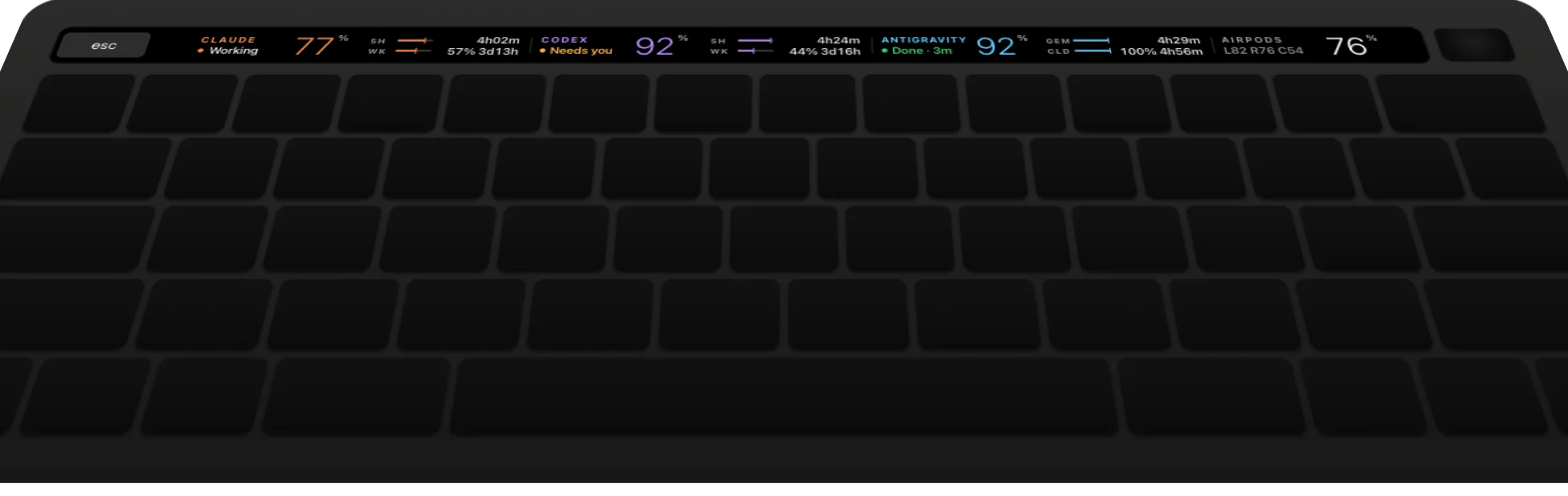
Touch Bar showing Claude 77%, Codex 92%, Antigravity 92% and AirPods 76%
터치바가 있는 맥북에서는 fn 키를 누르는 동안 기본 컨트롤이 보이고, 떼면 사용량 표시로 돌아옵니다. 터치바가 없는 맥북은 메뉴 막대에서 같은 수치를 볼 수 있어요. On Touch Bar Macs, the default controls come back while fn is held; release it to return to usage. No Touch Bar? The menu bar shows the same numbers.
02 — 칸별 구성Each cell
01 / 04

Claude

큰 숫자는 5시간 한도 중 남은 비율입니다. 막대 두 줄은 5시간·주간 사용량, 오른쪽 숫자는 초기화까지 남은 시간이고, 이름 아래에는 현재 작업 상태가 표시됩니다.The large number is what's left of the 5-hour window. Two bars: 5H and weekly. Right: time to reset. Under the name: what the agent is doing.

02 / 04

Codex

Codex 세션 기록에서 가장 최근 사용량 정보를 읽어옵니다. 승인이 필요한 작업이 있으면 노란색 "Needs you"로 표시됩니다.Scans session logs for the newest rate limit. Waiting on approval? A yellow "Needs you".

03 / 04

Antigravity

모델별(GEM · CLD) 사용량을 나눠서 보여줍니다. 작업이 끝나면 초록색 "Done"과 함께 끝난 지 몇 분이 지났는지 표시됩니다.Per model (GEM · CLD). When work finishes, a green "Done · 3m" — including how long ago.

04 / 04

AirPods

자주 확인하는 에어팟 배터리(왼쪽 · 오른쪽 · 케이스)도 함께 넣었습니다.AirPods battery (left · right · case) is included as well.

03 — In place

항상 보이는 사용량Lives in the Control Strip

평소에는 컨트롤 스트립에 작게 떠 있고, 누르면 전체 화면으로 펼쳐집니다. 로그인할 때 자동으로 실행됩니다.It sits in the Control Strip and expands to the full bar when tapped. It starts automatically at login.

esc
04 — Menu bar

메뉴 막대에서도 확인Also in the menu bar

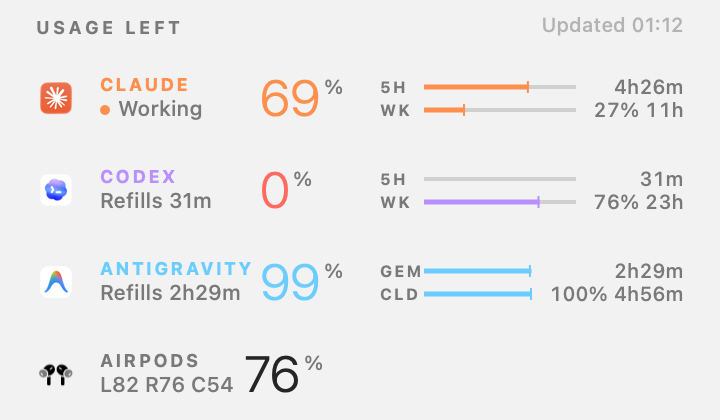
Menu bar dropdown: Usage left — Claude 69%, Codex 0%, Antigravity 99%, AirPods 76%

메뉴 막대 표시 방식 — 실제 앱 캡처Menu bar styles — captured from the app

Full style: CL 5% CX 46% AG 77%
Full도구 약칭 + 퍼센트Tool label + percent
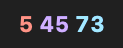
Numbers only style: 5 45 73
Numbers only도구별 색으로 숫자만Numbers in each tool's color
Lowest only style: 0%
Lowest only가장 적게 남은 도구 하나Only the tool closest to its limit
같은 정보, 넓은 화면Same info, more room터치바와 같은 구성에 초기화까지 남은 시간과 주간 비율을 함께 보여줍니다.The Touch Bar layout with reset times and weekly percent side by side.
라이트 · 다크 모드 대응Light and dark모드마다 막대 배경과 글자 대비를 따로 조정했습니다.Bar tracks and text contrast tuned separately for light and dark.
다 쓴 경우When it runs out사용량을 다 쓰면 숫자가 빨간색 0으로 바뀌고, 다시 채워지기까지 남은 시간을 보여줍니다.An empty tool shows a red 0 and the time until it refills.
05 — Numbers
20s갱신 주기Refresh interval
30pt터치바 높이 (정보 3단계로 구성)Touch Bar height, three levels of info
3지원하는 AI 도구Supported AI tools
0Dock 아이콘 (백그라운드 실행)Dock icons (runs in the background)
06 — Agent status

에이전트 상태 표시Agent status

Working

작업이 진행 중일 때 표시됩니다. 각 AI 도구의 작업 상태를 받아와서 보여줍니다.Shown while a task is running, based on each AI tool’s own activity status.

Needs you

승인이나 답변이 필요할 때 표시됩니다.Shown when an approval or answer is needed.

Done · 3m

작업이 끝나면 표시되고, 끝난 뒤 지난 시간을 함께 보여줍니다.Shown when a task finishes, with the time since.

07 — Plate · Colour bar

도구별 색상Colours

검은 터치바 화면에서 서로 잘 구분되는 색으로 도구를 나눴습니다.Each tool gets a colour that stays distinct on the black Touch Bar.

Claude#FF8C4A
Codex#B98CFF
Antigravity#5EC8FF
Needs you#FFB340
Done#3CCF6E
OLED#000000
08 — Plate · App icon · 1024 px

앱 아이콘App icon

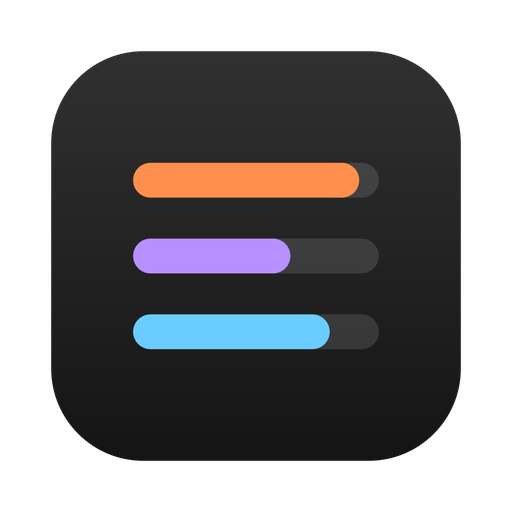
App icon: three progress bars in orange, purple and blue
세 개의 막대Three bars세 도구의 색을 그대로 쓰고 길이만 다르게 해서, 앱의 기능을 아이콘에 담았습니다.The three tool colours at different lengths, showing what the app does.
회색 배경 막대Grey track막대 뒤에 회색 배경을 두어 남은 양을 나타내도록 했습니다.A grey track behind each bar keeps the idea of "what's left".
메뉴 막대 아이콘Menu bar glyph같은 모양을 작게 줄여 메뉴 막대에서도 사용하고, 사용량에 따라 길이가 바뀝니다.The same three lines at 16pt, changing length live in the menu bar.

작업 중에 창을 바꾸지 않고
사용량을 확인하려고 만든 앱입니다.
Built to check usage
without leaving the work window.

기획 · 디자인 · 개발 — RIDA HAPlanning · Design · Development — RIDA HA ← Works